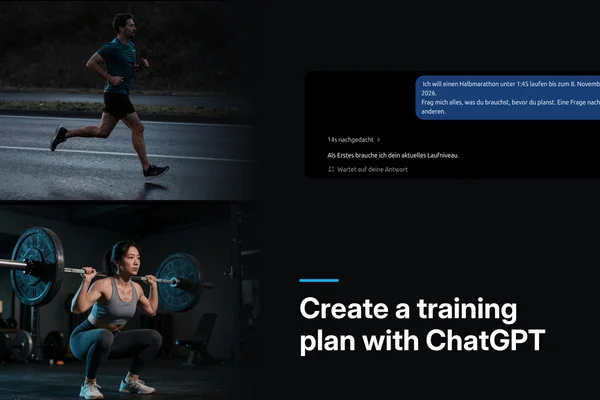
A Gemini Gem is not a chatbot you have to brief from scratch every time. You open it, feed in your current training data — and the Gem already knows how to handle it. The system instruction, which is usually the biggest hurdle, is something I have taken care of for you. The TheFitFuturist Gemini Gem for training planning comes with sports-science fundamentals baked in as context. You bring the numbers.
Gemini Gem for Training Planning: How to Build Your Virtual Coach
 Christopher Klenk9 min read
At a glance
A Gemini Gem stores a system instruction permanently — you start every session with a pre-configured AI coach, no re-briefing required. The TheFitFuturist Gem carries fundamentals on periodisation, load management and recovery as context. What you still need to bring yourself: your training data, your goal and a basic understanding of what the answers mean. The prompt paradox applies here just like it does with any other LLM — Gemini only produces useful plans if you understand what makes a good plan in the first place.
Stay on top of AI training & analysis? One click — and Google shows you my articles first.
Add as a preferred source on GoogleHow to set up the Gem — step by step
All you need is a free Google account — Gems have been available to all users at no cost since March 2025. If you want more model choice and higher limits, you can upgrade to Google AI Pro, but you do not have to.
Step 1: Open the Gem link. Open the TheFitFuturist Training Coach Gem via this link: https://gemini.google.com/gem/1UI1inwvDEyGjLXBJ1D0fng3Ayjia1LEP?usp=sharing. You land directly on the Gem page inside Gemini.
Step 2: Start the chat. The Gem opens straight away — no confirmation step. The very first time you open it, Google may briefly show a description; after that you start chatting immediately.
Step 3: Pick a model. At the top of the Gemini interface you can select the model. Choose a Pro model for the best planning quality — which ones are currently available is shown directly in the selector.
Step 4: Your training profile as the first message. The Gem opens with a question — it wants to know what it is working with. The more relevant context you provide here, the more useful the answer becomes. What you should have ready: current training volume and frequency, your goal (competition, general health, hypertrophy, endurance), known constraints such as injuries or time windows, and if available: wearable data such as resting heart rate, HRV trend or estimated VO2max.
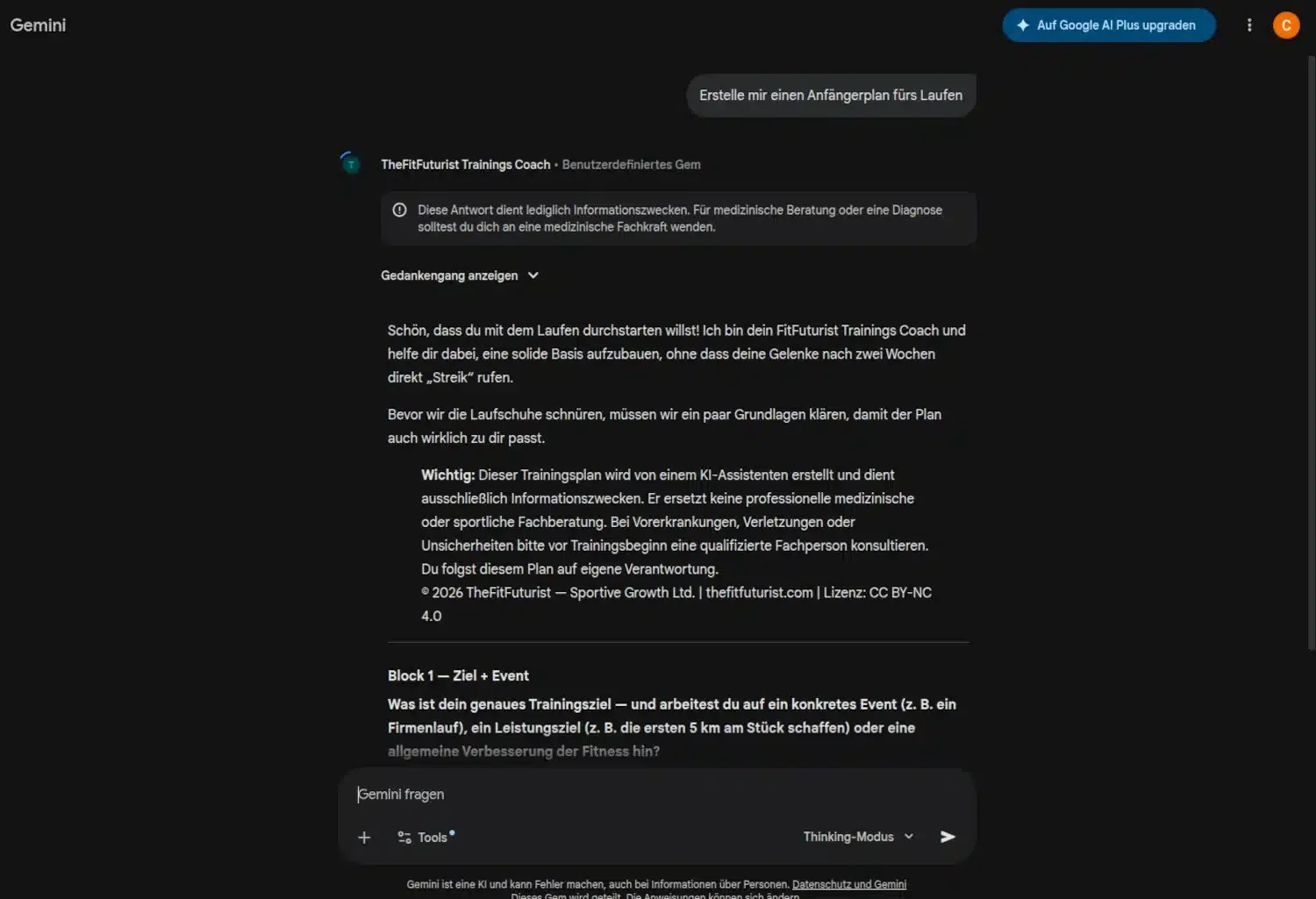
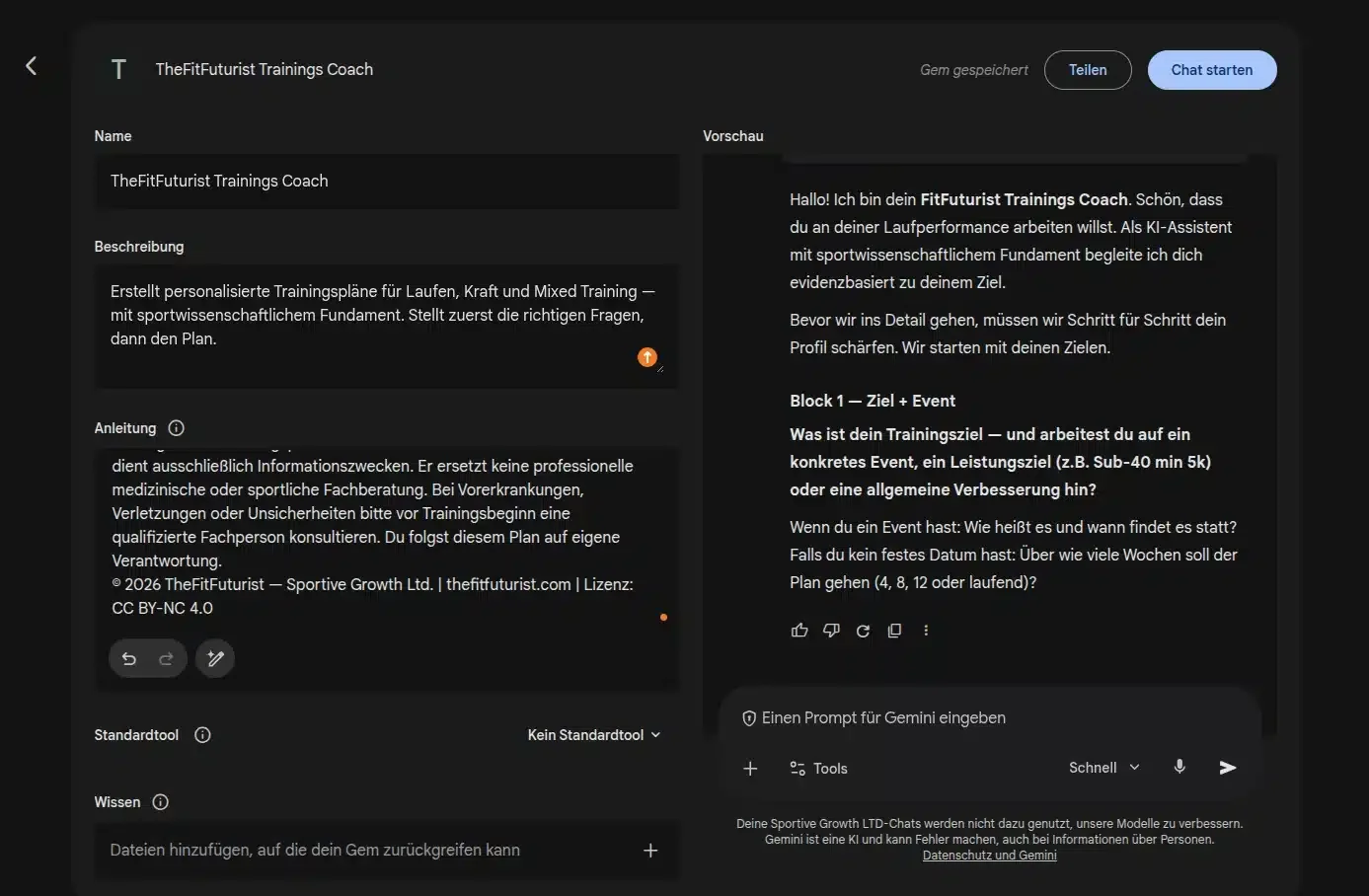
The Gem's system instructions tell it to reply in your language, so your actual output will be in English. The screenshots below are from a German session and are purely for illustration.

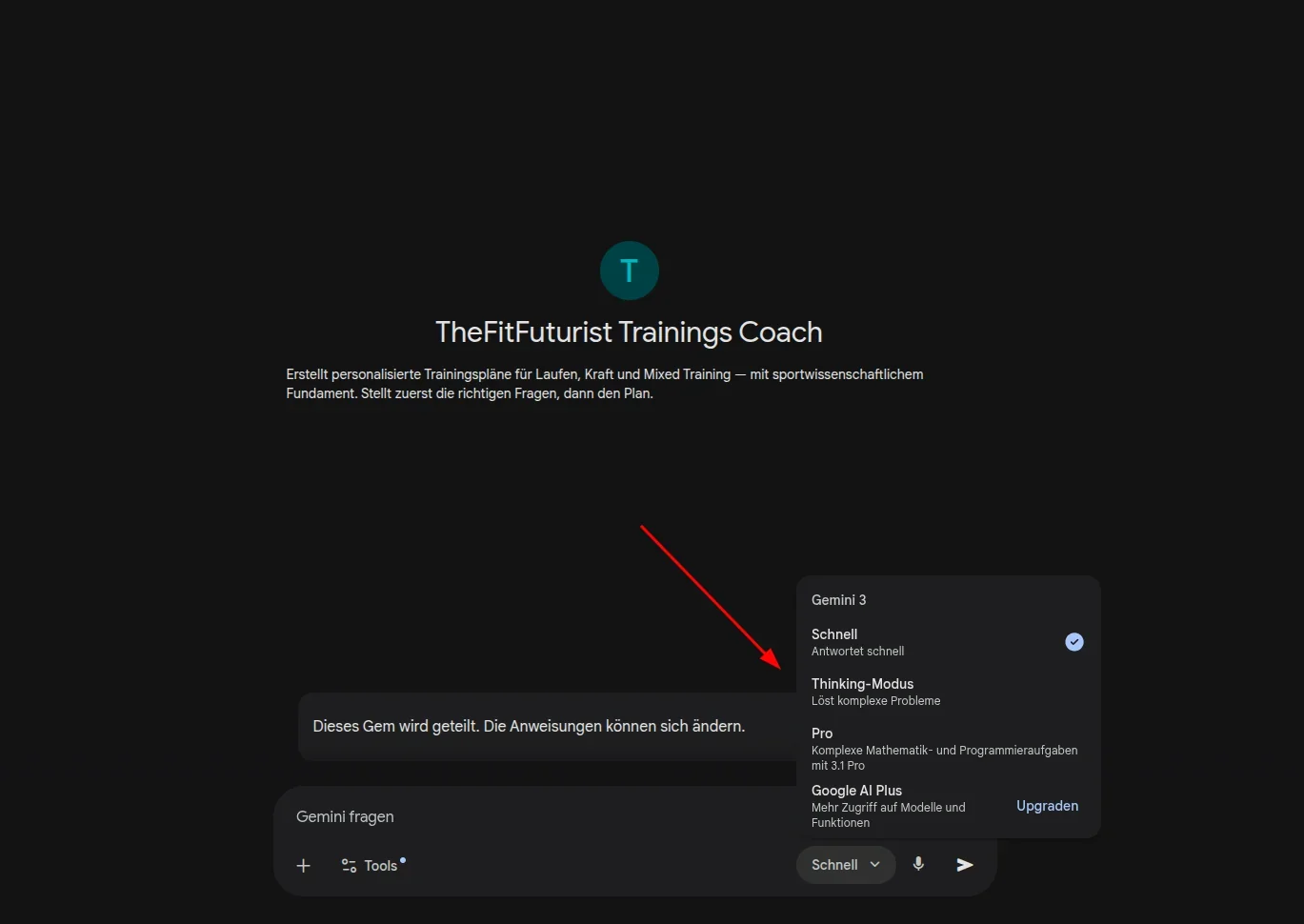
1 / 3
Step 1: Gem opens straight away
Step 2: Pick a Pro model
Step 3: The Gem asks first, then plans
Step 5: Iterate, do not just accept. The first plan the Gem spits out is a draft — not a finished product. That is true of every LLM, and anyone who forgets it ends up training to a plan they never really questioned. Ask follow-ups, push back, give feedback. "The volume on day 3 is too high for my current recovery capacity — how would you adjust it?" is a better follow-up than "Thanks, looks good."
What you need for your initial Gemini Gem training plan
This is where it gets decided whether the Gem delivers something useful or something generic. An LLM can only answer as well as the context you give it — that holds for Gemini just as much as for Claude or ChatGPT. Write "Build me a training plan for more muscle" and you get exactly that: a plan for somebody who somehow wants more muscle.
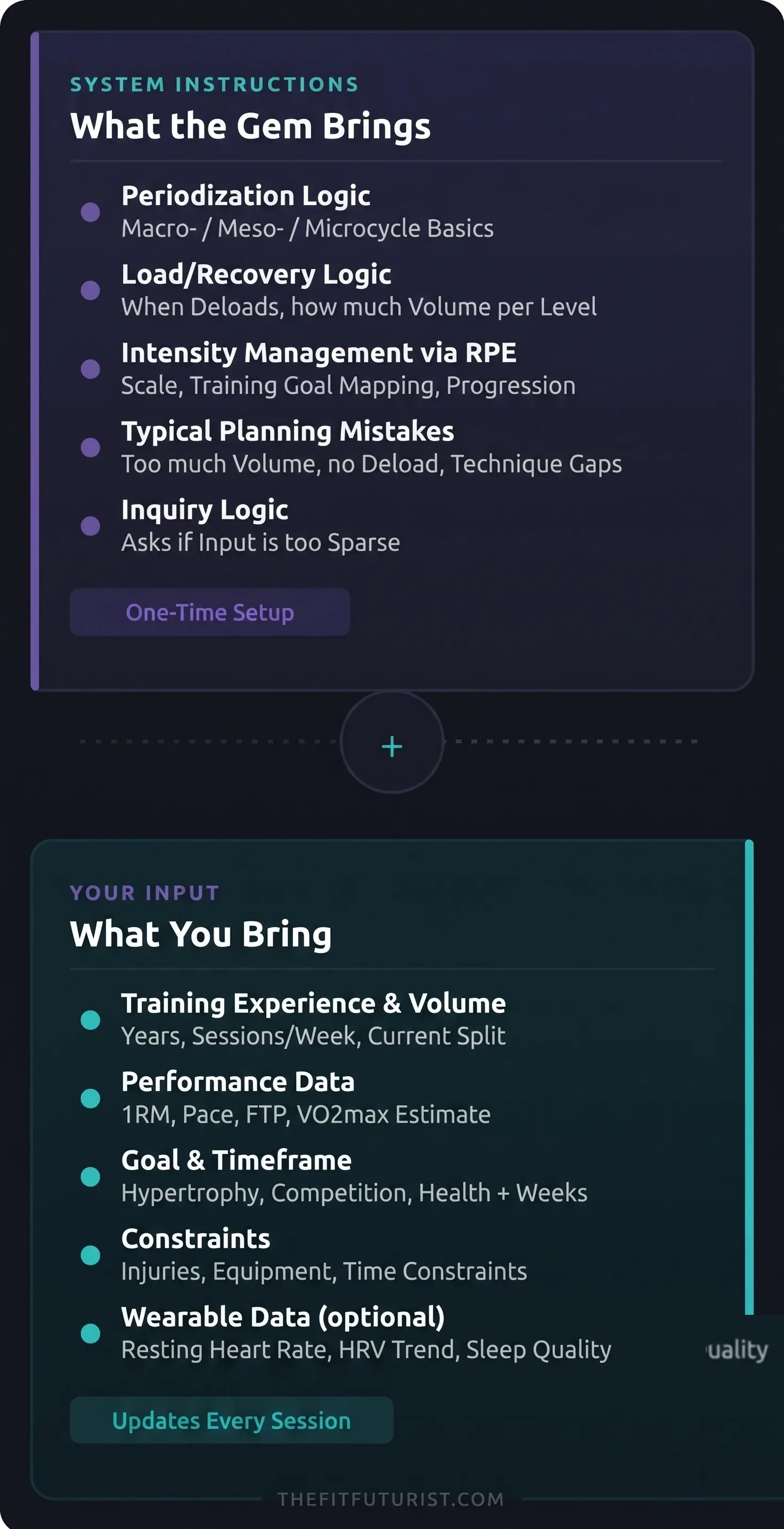
The Gem makes clear what it needs: goal, timeframe, current status, constraints. The more specific your inputs, the more specific the plan. That is not a coincidence — it is the direct consequence of a system instruction that expects exactly those variables.
What sets the Gem apart from a normal Gemini chat: it knows what to do with this information. You do not have to explain what RPE is, why deloads make sense or how training volume affects recovery demand. The sports-science foundation already sits in the system instruction — you supply the individual variables.
If you are unsure which physiological fundamentals actually matter for sensible training planning — the article on physiological foundations in AI training explains the concepts you should know in order to judge AI answers.
Gemini Gem as a fitness coach: what the concept actually delivers
A Gem is Google's answer to custom GPTs — a saved configuration inside Gemini that you set up once and then keep reusing, free with a Google account since March 2025. OpenAI is switching custom GPTs off in December 2026; if you want to build a ChatGPT training coach now, you do it as a project. The decisive difference compared with a normal Gemini chat: the Gem already knows its brief before you type the first word. It knows it is there to build training plans, which factors to take into account, and which questions to ask you when your inputs are too sparse to answer sensibly.
That sounds like a minor technical convenience — but it is not. Anyone who has ever tried to feed Gemini or ChatGPT a carefully crafted context prompt knows how much work goes into it. And how often the result still ends up generic, because the prompt is not really a system prompt, just the first sentence in the chat. A Gem solves that structurally: the logic sits in the foundation, not in free text.
What the system instruction actually contains
The system instruction of the TheFitFuturist Gem is not a generic "You are a fitness expert" prompt. It contains concrete sports-science logic: how load and recovery relate to each other, when a deload should be inserted, how intensity is steered via RPE, and why beginners make more progress with three sessions per week than with five. This is not knowledge you have to teach Gemini from scratch every time — it is anchored as the working basis.
Concretely that means: if you tell the Gem you have been training for six months and go to the gym three times a week, it will not just recommend a 6-day powerlifting split. It picks up the context, weighs it against recovery capacity and experience level — and gives a recommendation that fits. What it cannot do: judge your subjective form on the day, or see whether your technique is good enough for the load it suggests. Those limits are a deliberate part of the system instruction — the Gem flags them rather than ignoring them.
The Gem also asks structured follow-up questions whenever inputs are missing. It asks about goals, timeframe, injury history and available equipment — not because it has to, but because a plan without this information simply is not meaningful. That is the difference between a tool that just answers and a tool that asks first.
A concrete example from the system instruction: for a beginner with less than six months of experience, the Gem automatically caps training volume — not because it should play it safe, but because the system instruction explains that neural adaptation in beginners progresses faster with three sessions per week than with five. The model argues from principles, not from rules of thumb.
Using the Gem as an ongoing coach — not just for the first plan
The primary use case is clear: you put in your profile, the Gem builds a structured plan. But the Gem can do more than output a plan once — it also works as a sparring partner for everything that comes afterwards. Volume too high, competition date moved, an injury — these are exactly the situations where you would otherwise call a coach.
A typical scenario: you are in week 4, you have had two bad nights of sleep in a row and your resting heart rate is 8 bpm above baseline. You open the Gem and write:
Prompt
I am in week 4, right now my body is recovering worse than planned — resting heart rate elevated, motivation low, the last two sessions felt noticeably harder than the RPE numbers would suggest. Here is my current plan: [insert plan here]. How should I adjust the next 7–10 days?Important to note: the Gem does not save conversation history between sessions — that is the technical difference compared with Claude Projects. You have to paste the current plan in as context. A quick copy-paste of the current week is enough. The Gem then does not hand out a blanket "take a deload week" recommendation, but a specific adjustment based on phase, training goal and the signals you described.
If you do this once a week — quickly summarise what went well, what did not, what has changed — you no longer have a one-off plan generator. You have a conversation partner that knows the plan and thinks along with you. If you want to take the same approach with Claude: the TheFitFuturist Claude training plan skill works on the same principle — with the difference that Claude Projects keeps the conversation history between sessions. No Google or Claude account? free training plan generator — browser-based, no account needed.
Pro or Flash — which model for the training plan?
Gems run on the model you pick at creation — or on the current Google default. As a rule: Pro models are the better choice for initial plan creation. More reasoning capacity, longer thinking before the answer — it shows when several variables have to be balanced at once: volume, intensity, frequency, recovery, timeframe, injury history.
Flash models are faster and easier on your quota — for simple adjustments like "move session 3 to Thursday" or "explain the deload in week 4" they are plenty. For the initial plan draft or a full overhaul: Pro. Google updates the available models regularly — which one is currently the strongest is shown directly in the model selector inside the Gem.
What the Gem does not replace — and why that is not a weakness
A Gem is not a real-time coach. It does not see how you squat, it does not measure your heart rate during the session, and it does not notice that today you are standing at the bar with sleep debt and a sour mood. The plan it builds is only as good as the context you feed it before the session — no better. If you want to understand the structural limits of all text-based AI tools: they exist — and they apply to the Gem just as much as to any other LLM-based planner.
You will find the Gem here: TheFitFuturist Gemini Gem for training planning. Open it, send your training profile as the first message — and see what comes back. If you are not yet sure how to approach training planning with AI in general, the article on creating a training plan with AI is the right place to start.