Garmin, Apple Watch, Suunto — almost every endurance athlete already owns a sports watch. The first question when you hear about DFA Alpha 1: Can I measure it directly with my watch, or do I need a separate chest strap like the Polar H10? The Apple Watch? The short answer: Almost never the watch alone. And the reason has nothing to do with the brand — it's about sensor physics.
For a valid DFA Alpha 1 step test, you almost always need a chest strap — Garmin, Apple Watch, and similar devices aren't sufficient as a standalone data source. The Polar H10 is the most validated sensor. Garmin watches can display DFA Alpha 1 live via the alphaHRV Connect IQ app — but only with a connected chest strap. HRV Logger (Android + iOS) is the affordable smartphone alternative. Suunto ZoneSense uses a DFA variant (DDFA) — useful, but not identical to the α1 protocol. Apple Watch: no known workaround. An ergometer delivers cleaner data than running — but heart rate values aren't directly transferable to running.
Why Watch HR Fundamentally Doesn't Work for DFA Alpha 1
DFA Alpha 1 is calculated from RR intervals — the exact time gaps between individual heartbeats in milliseconds. This precision is non-negotiable: the fractal analysis responds to the smallest changes in the RR sequence, and that's precisely what makes it a valid threshold marker.
Optical pulse measurement at the wrist works differently. It measures blood volume pulses via light, interpolates in the process, and produces motion artifacts under load. For displaying heart rate, that's fine. For fractal analysis, it isn't.
This applies to every watch — Garmin Fenix, Apple Watch Ultra, Polar Pacer Pro, Suunto Race. The measurement technology at the wrist is the problem, not the brand. You need a chest strap that measures electrically and transmits raw RR intervals.
The Four Options at a Glance
Setup | Device | DFA α1 live? | Post-analysis | Extra cost |
|---|---|---|---|---|
Garmin + alphaHRV | Garmin watch + H10 | ✅ Yes | FIT file | ~€85 (H10) |
HRV Logger | Smartphone + H10 | ✅ Yes | CSV → calculator | ~€85 (H10) |
Suunto ZoneSense | Suunto watch + HRM | ⚠️ Variant | Limited | ~€0 (if HRM available) |
Apple Watch | Apple Watch + ??? | ❌ No | No workaround | — |
Garmin + alphaHRV Connect IQ — What Works, Where It Gets Tricky
Garmin hasn't natively implemented DFA Alpha 1. What does exist is the alphaHRV app in the Garmin Connect IQ Store, developed by Iñigo Tolosa. The app calculates α1 in real time directly on the watch and displays it as a data field during the activity.
The key point: alphaHRV requires an external chest strap as its data source — Polar H10 or Suunto HRM. The app connects directly to the chest strap, not via the watch HR. The pairing is a bit fiddly: Bluetooth vs. ANT+ needs to be set up precisely, and if the H10 is already paired with the watch, it needs to be decoupled first for the alphaHRV BLE mode.
In practice for the step test: Garmin watch + Polar H10 + alphaHRV set up as a data field. The watch shows α1 live during the test, and the FIT file contains the raw data for post-analysis in Runalyze or AI Endurance.
HRV Logger + Chest Strap — The Affordable Way Without Garmin
HRV Logger is an app — for Android and iOS — that records RR intervals directly from the chest strap and calculates DFA Alpha 1 in real time. Developed by Marco Altini (HRV4Training), originally as a research tool.
I've measured with it myself — with the Polar H10. It works. Design-wise the app is a disaster: no modern UI, no intuitive navigation, settings you need to hunt for. For someone who just wants to get started quickly, it's a hurdle. But for the purpose — recording RR data and exporting as CSV — it does its job.
The workflow: record with HRV Logger → export CSV → load into the DFA α1 calculator → aerobic and anaerobic thresholds calculated automatically. No account, no subscription, no extra device besides the chest strap.
For anyone who doesn't have or want a Garmin: this is the most direct entry point.
Suunto ZoneSense — Related, But Not the Same
Suunto has built something interesting into newer models: ZoneSense — a feature that adjusts training zones live based on HRV data during the activity. That sounds like DFA Alpha 1, but it's not quite.
ZoneSense is based on DDFA (Dynamical DFA), a further development of the algorithm. The crucial limitation: the thresholds 0.75 (VT1) and 0.5 (VT2) from the DFA Alpha 1 literature don't apply 1:1 to DDFA — Suunto has calibrated its own threshold values. For qualitative training control during a normal session, ZoneSense is useful. For a reproducible step test with values comparable to published studies, it's not the right tool.
ZoneSense also requires a Bluetooth chest strap. Watch optics aren't sufficient here either.
Apple Watch — Why No Workaround Works
No known app, no working workaround. The Apple Watch's optical sensor isn't designed for precision RR interval measurement under load. Anyone wearing an Apple Watch who wants to use DFA Alpha 1 needs a chest strap and a separate recording device in parallel — either HRV Logger on the iPhone or a compatible Garmin alongside it.
Which Chest Strap? Polar H10, H9, and Alternatives
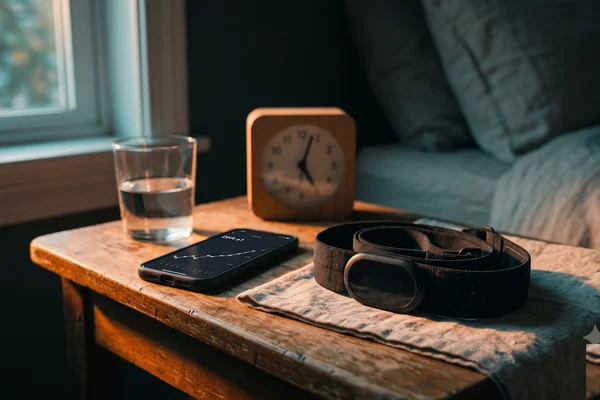
The Polar H10 is the most widely used and best-validated sensor in DFA Alpha 1 research. It transmits RR intervals via Bluetooth and ANT+, can store a session internally, and costs around €80–90.
Does the Polar H9 work too? Probably yes — H9 and H10 measure electrically similarly; the difference lies in features: the H10 has two simultaneous Bluetooth connections and internal storage, the H9 doesn't. But only the H10 has been explicitly validated for DFA Alpha 1. The Suunto HRM is also well-tested in the community.
What doesn't work: optical chest straps, ear sensors, or wrist sensors of any kind. The RR intervals must be electrically measured.
One limitation worth knowing: even the H10 shows a larger measurement bias at high intensities in the DFA range than at low intensities — that's not an H10 weakness, it's a property of the method itself under load. Artifact rates above 3% begin to affect α1 values; above 6% they're no longer trustworthy. Most analysis tools display the artifact rate — always check it.
Ergometer vs. Running — And Why Bike Threshold ≠ Running Threshold
The ergometer produces fewer motion artifacts than running — less vibration, more stable chest strap position, cleaner RR sequence. That makes the ergometer test the data-quality-superior choice for DFA Alpha 1 when both are available.
Running produces more artifacts in the RR sequence due to foot impact. That doesn't mean a running test doesn't work — but you need to check the artifact rate after the fact. Rogers himself recommends switching to steep inclines or a stair protocol if running artifacts are frequent, or doing a bike test and transferring the heart rate.
That's where the next catch comes in: the heart rate threshold from the ergometer can't be directly transferred to running. At the same relative intensity, heart rate is lower when cycling than when running — roughly ~10% of individual HRmax. At an HRmax of 180 bpm that's ~18 beats; at HRmax 160 bpm ~16 beats. The "10 beats" rule of thumb circulating online is a simplification that happens to be correct for a certain HRmax range — it doesn't work as a general rule.
Anyone who wants to know their aerobic threshold for both running and cycling needs two separate tests. That's not a flaw in the method — that's physiology.
FAQ
Can I use my Garmin HRM-Pro for DFA Alpha 1?
Theoretically yes — the HRM-Pro transmits RR intervals. In practice, the data quality is less well documented than the Polar H10. For initial tests it works, but for precise threshold determination the H10 is the safer choice.
Do I need to set up a special protocol on the watch for the step test?
Not necessarily. You need a steadily increasing load over about 30–40 minutes. That can be a manual interval program or a free test — what matters is consistency: hold each step for at least 3 minutes so α1 can stabilize.
What about the Polar Pacer Pro — can I use it as a recorder?
No. The Pacer Pro isn't a DFA recording unit. You can use the Polar H10 as the chest strap and run HRV Logger on your smartphone in parallel — the watch just shows heart rate in that case, while the actual recording runs via the smartphone.
How do I check the artifact rate after the test?
Kubios HRV (free basic version), Runalyze, or AI Endurance show the artifact rate after upload. Under 3% is good, 3–6% is borderline, above 6% the test should be repeated.
Can I use the ergometer threshold directly for my running training?
Not directly — heart rate at the same relative intensity is lower on the bike than when running, roughly ~10% of individual HRmax. Anyone who wants their running threshold needs a separate running test.
Is there any way to use DFA Alpha 1 without a chest strap?
Not currently for valid threshold determination. Optical sensors — whether watch or ear — don't deliver sufficient RR interval quality under load. The chest strap is the only consumer option that currently works.
Does the same setup work for recovery measurement too?
Yes — measuring recovery with DFA Alpha 1 needs the exact same setup: chest strap plus recording app. Only the protocol differs, not the hardware.